
How to Buy Crypto with PayPal in 2026
How to Buy Crypto with PayPal in 2026
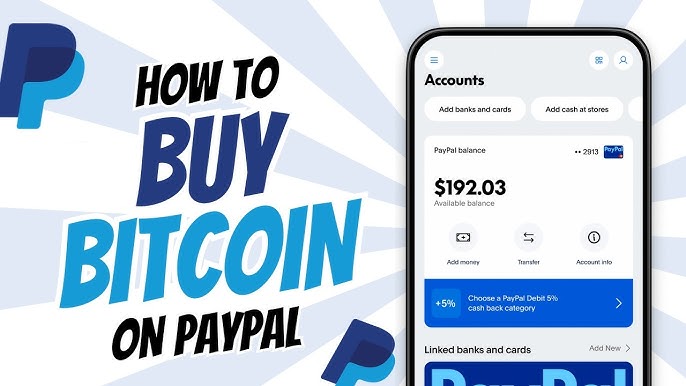
To buy crypto with PayPal, open the PayPal app, verify your identity, tap the crypto icon, choose a coin such as Bitcoin or Ethereum, enter the amount, and confirm the purchase, which is funded from your PayPal balance, a linked bank account, or a debit card. PayPal charges a spread plus a transaction fee, and the service is available mainly in the United States, the United Kingdom, and parts of Europe. Your coins stay in PayPal's custody until you sell them or transfer them out, and PayPal is not available for crypto buying in Nigeria and most of Africa.
How Buying Crypto with PayPal Works
PayPal began offering crypto buying in 2020 and has expanded the service since. In supported countries, you can buy, hold, and sell Bitcoin, Ethereum, Litecoin, Bitcoin Cash, and PayPal's own dollar stablecoin, PayPal USD (PYUSD), directly inside your PayPal account, as PayPal's official help center explains. You do not need a separate exchange account, and the purchase is funded from payment methods you already have linked to PayPal.
The key detail to understand is custody. When you buy crypto through PayPal, PayPal holds the coins for you. You see the balance in your account, and you can sell it back or send it, but the private keys are not yours in the way they would be with a wallet you control. For small amounts and beginners, that convenience is fine. For larger holdings, custody is exactly the point you should think about before choosing where to buy.
Which Countries Can Use PayPal Crypto
PayPal's crypto service is not global. It is available to eligible personal account holders in the United States and the United Kingdom, and PayPal has been rolling it out across Europe through its Luxembourg entity, which means availability varies by country and by account status. PayPal's crypto page lists the supported markets and the coins available in each one.
The important reality for Nigerian readers is that PayPal does not offer crypto buying in Nigeria, and a Nigerian PayPal account cannot be used to purchase Bitcoin or other coins through the app. Nigerian users who want crypto have three practical routes instead: peer-to-peer platforms that match naira buyers with sellers, exchanges that accept naira deposits or cards, and crypto wallets with built-in local currency funding. For people who want crypto for payments rather than speculation, that third route is usually the most direct.
Step by Step: Buying Crypto in the PayPal App
If you are in a supported country and your account is verified, the process takes a few minutes:
- Open the PayPal app and confirm your identity documents are verified, since crypto buying requires full know-your-customer checks.
- Tap the crypto icon on the home screen. If you do not see it, the service is not available for your account or your country.
- Choose the coin you want, Bitcoin, Ethereum, Litecoin, Bitcoin Cash, or PYUSD.
- Enter the amount in your local currency or in the coin itself.
- Review the screen, which shows the exchange rate, the spread, and the transaction fee before you confirm.
- Choose your funding source, PayPal balance, linked bank account, or debit card, and confirm the purchase.
The coins appear in your PayPal balance immediately after confirmation. From there you can hold them, sell them back to your local currency, send them to another PayPal user, or, where supported, transfer them to an external wallet.
PayPal Crypto Fees and the Spread
PayPal does not hide its crypto pricing, but you have to read carefully, because the cost has two parts. The first is a transaction fee that scales with the size of the purchase and gets cheaper in percentage terms as the amount grows. The second is a spread, a markup built into the exchange rate you are shown, which is how PayPal makes money on the conversion. PayPal's consumer fee pages publish the full schedule, and the displayed rate always includes the spread.
Moving crypto out of PayPal adds another cost. Transfers to external wallets carry a fee based on the dollar value of the coins, typically around 1 percent, plus the blockchain network fee, which is set by the network itself and fluctuates with congestion. The practical lesson is the same one that applies to every crypto purchase: the advertised price is not the delivered cost, so compare the amount of coin you actually receive against what the same money would buy on a dedicated exchange. For larger purchases, a platform built for crypto, rather than a payments app that added crypto as a feature, usually delivers more coin per dollar.
What You Can and Cannot Do with PayPal Crypto
Knowing the limits of PayPal crypto saves you from an expensive surprise later:
- You can hold and sell your coins back to local currency at any time.
- You can send supported coins between eligible PayPal accounts.
- In the United States, you can transfer supported coins to external wallets you control, such as hardware or software wallets.
- At checkout with merchants that accept it, "Pay with Crypto" converts your coins to dollars for the merchant, so the merchant receives cash, not crypto.
- You cannot pay a foreign supplier directly in crypto through PayPal, because the merchant side of Pay with Crypto settles in fiat.
- You cannot use PayPal crypto for cross-border business payments, and the service is not available in most emerging markets.
That last point matters more than most buyers realise. PayPal crypto is designed for holding and spending inside PayPal's own ecosystem. It is not a rail for paying a supplier in China, a school abroad, or a hospital overseas, because the payment converts to dollars at checkout and moves over PayPal's network, with all the limits that come with it.
PayPal versus Exchanges versus Wallets
| Option | Best for | Watch out for |
|---|---|---|
| PayPal crypto | Beginners holding small amounts inside an app they already use | Custody, spread, limited coins, country restrictions |
| Centralized exchange | Active buyers and traders who want low fees and many coins | Withdrawal delays, exchange hacks, KYC waits |
| Crypto wallet with local funding | People buying stablecoins to send payments abroad | Choose a reputable platform; check networks |
A centralized exchange like Coinbase gives you more coins and lower fees, and its educational library is a good place to learn the fundamentals, as Coinbase Learn demonstrates. But an exchange is still custodial, and the industry advice applies everywhere: move long term holdings to a wallet you control. For the difference between custody and self custody, Binance Academy has clear, free explainers on wallets, private keys, and how blockchain transfers actually settle.
When PayPal Crypto Is Not the Right Tool
Buying crypto is only the first step. The reason most people buy Bitcoin or stablecoins in 2026 is to move value, whether that means protecting savings from currency weakness, paying a supplier, or sending money to a family member abroad. For those goals, the question is not just where to buy but where the coins can go afterwards.
If your plan is to hold Bitcoin for a few years, PayPal works but an exchange with lower fees works better. If your plan is to use stablecoins like USDT to pay a supplier or a school abroad, then a payments-focused crypto wallet is the tool built for that job. A wallet combines buying, storage, and sending in one place, which removes the awkward step of buying on one platform, transferring to a second, and hoping the network details match when you send.
Platforms like DapsyPay take exactly that approach for cross-border payments. You buy USDT with naira, hold it in the wallet, and send it to suppliers, schools, or service providers abroad with transparent fees and settlement that is super fast on the blockchain, with no bank account or PayPal account in the middle. Where PayPal crypto is a walled garden that converts everything back to dollars, the platform is built for value to keep moving, which is what cross-border payers actually need. If you are weighing payment rails, our guide to how long international bank transfers take shows why blockchain settlement compares well, and paying an invoice from abroad explains the verification steps that protect any payment method. For large transfers, our guide to moving large amounts internationally is a useful read, and importers will find our explainer on the Chinese currency RMB useful when suppliers quote in yuan.
Common Mistakes When Buying Crypto with PayPal
- Assuming PayPal crypto is available in your country before checking, then losing time on a service you cannot access.
- Ignoring the spread and comparing only the transaction fee.
- Leaving large holdings in PayPal custody when you could transfer them to your own wallet.
- Sending coins to an external wallet without double checking the network, since a wrong network can make funds unrecoverable.
- Believing "Pay with Crypto" means the merchant receives crypto, when it actually converts to fiat.
- Buying more than you understand, especially before you have learned how transfers and fees work.
Frequently Asked Questions
Conclusion
Buying crypto with PayPal in 2026 is easy in the countries where the service exists: verify your account, tap the crypto icon, and confirm your purchase. The trade-offs are the spread, custody, and the fact that PayPal crypto stays inside PayPal's ecosystem, converting back to dollars whenever you spend it. If you are buying small amounts to hold, that is fine. If you are buying crypto to move value across borders, to pay a supplier or fund an education abroad, a payments-focused wallet gives you buying, storage, and sending in one place. Compare fees, understand custody, check the network before every transfer, and choose the platform that matches what you actually want the crypto to do.
Buy USDT and Pay Abroad from One Wallet
Buy stablecoins with naira, hold them securely, and send cross-border payments super fast with wallet.dapsypay.com.
Visit wallet.dapsypay.com